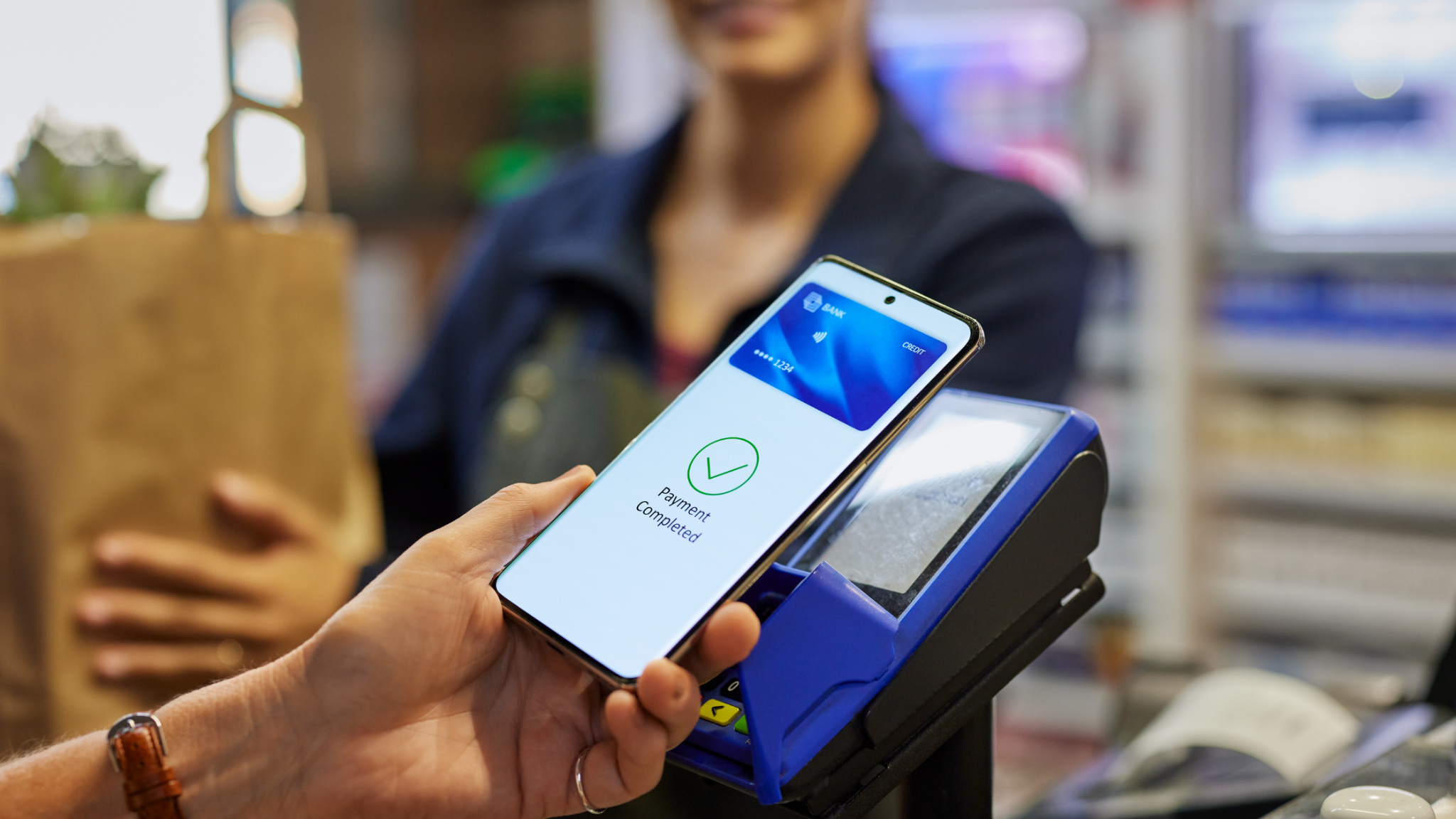
Mobile payment processing is the acceptance technology that lets a customer pay using an NFC-enabled phone, wearable, or contactless card at a merchant’s terminal, phone-based reader, virtual terminal, or online checkout. In Canada, that capability is no longer an upgrade for early adopters. Tap payments accounted for 13 billion transactions in 2024, or 58% of all transactions, according to Payments Canada’s Canadian payment data. Mobile contactless volume alone hit 3.4 billion transactions, up 28% year over year.
For merchants running multiple locations, delivery routes, event booths, phone-order desks, and a web store, the practical question has changed. It is no longer “do we take tap?” It is whether checkout technology can accept a customer securely wherever and however they decide to buy: at a counter, at a client site, over the phone, or in a browser.
This guide walks through what contactless and digital wallet payments actually are at a technical level, what Apple Pay and Google Pay acceptance requires in person versus online, when a virtual terminal small business workflow makes sense, and what security controls belong in each deployment model.
TL;DR
- Canada recorded 22.5 billion retail payment transactions worth $12.2 trillion in 2024, with digital payments representing 86% of volume and 77% of value, per Payments Canada’s national data.
- Contactless hit 13 billion Canadian transactions in 2024, averaging $29, proving tap matters most in everyday, high-frequency categories rather than premium retail alone.
- Mobile contactless payments reached 3.4 billion Canadian transactions in 2024 and are projected to reach 5.7 billion by 2028, a 66% increase from the 2024 baseline.
- One in five Canadian businesses experienced payment fraud in a six-month window, and 45% reported increased suspicious email activity, making fraud controls inseparable from payment modernization.
- EMVCo’s contactless kernel specification can run as software on existing POS terminals, meaning contactless capability does not always require a full hardware replacement.
Why does tap technology belong in a merchant technology strategy now?
Tap transactions belong in a merchant technology strategy because they represent the majority of Canadian transaction volume, not a minority preference. Payments Canada’s Canadian payment data show contactless accounted for 13 billion transactions in 2024, 58% of all transactions, worth $567 billion. The average contactless transaction was $29. That figure is the most useful number in the entire dataset for operators, because it tells you where tap actually lives: coffee, convenience, quick-service, pharmacy, transit-adjacent retail, parking, personal services. High frequency, low ticket, short dwell time at the counter.
Zoom out and the scale becomes clearer. Canada recorded 22.5 billion retail payment transactions worth $12.2 trillion in 2024, with both volume and value growing 3% from 2023, according to Payments Canada’s Canadian payment trends. Digital payments made up 86% of volume and 77% of value. Credit and debit cards together accounted for 63% of volume, split 33% credit and 30% debit.
That split matters more than it looks. A checkout environment that handles credit contactless well but stumbles on debit contactless, or vice versa, is failing roughly half its card-paying customers at some point in the queue. A modern acceptance design has to handle both rails cleanly, including their wallet-provisioned versions.
There is a second reason this is a strategy question rather than a hardware question. The same customer who taps a watch at a counter on Tuesday may call the office on Thursday to reorder, then check out on a website on Saturday. If those three moments run on disconnected systems with different security postures and different reporting, that is not one omnichannel business. It is three businesses that happen to share a logo.
Merchants who handle this well treat acceptance as a channel map first and a device purchase second. That sequencing is the single largest predictor of whether a rollout creates operational clarity or operational debt.
What does Canadian and North American payment behavior tell merchants about mobile payment processing?
Canadian and North American payment behavior tells merchants that device-based payment is now habitual across age groups and that mobile payment processing capability should be treated as a baseline checkout function. Payments Canada found that 68% of Canadian smartphone owners made a payment using their phone during six months. More than two-thirds. That is not an early-adopter segment; that is the general public.
The trajectory reinforces it. Mobile contactless payments reached 3.4 billion Canadian transactions in 2024, a 28% increase from 2023, and Payments Canada projects 5.7 billion mobile contactless transactions by 2028, a 66% increase from 2024 levels. Merchants specifying terminal fleets or POS software today are specifying for that 2028 number, not the 2024 one.
South of the border, the same pattern holds with different mechanics. Federal Reserve Financial Services’ consumer payment diary reported that U.S. consumers made an average of 11 mobile-phone payments per month in 2024, up from four monthly mobile-phone payments in 2018. Among U.S. adults aged 18 to 24, mobile phones handled 45% of all payments. Cards represented 65% of U.S. consumer payments by number, with credit at 35%, debit at 30%, and cash at 14%.
For merchants operating across both countries, the practical read is that mobile acceptance is a shared requirement with local nuances in debit rails and wallet provisioning. Customer expectations converge even when the infrastructure does not.
One caution worth building into the plan: this is about adding choice, not removing it. Cash represented 2.5 billion Canadian transactions in 2024, 11% of payment volume, and Payments Canada found 57% of Canadians had no desire to become fully cashless. The Federal Reserve’s 2026 payment findings, based on 2025 behavior, found cash remained the third-most-used payment instrument, valued for broad acceptance, instant settlement, anonymity, and reliability as a backup. Contactless expands the menu. It does not close it.
E-commerce is a separate environment: 60% of Canadians made an online purchase in a given month in 2024, with e-commerce transactions totaling $77 billion, or 6% of total retail sales. Substantial, growing, and technically distinct from anything happening at a merchant’s counter.
How do tap transactions actually work at the terminal?
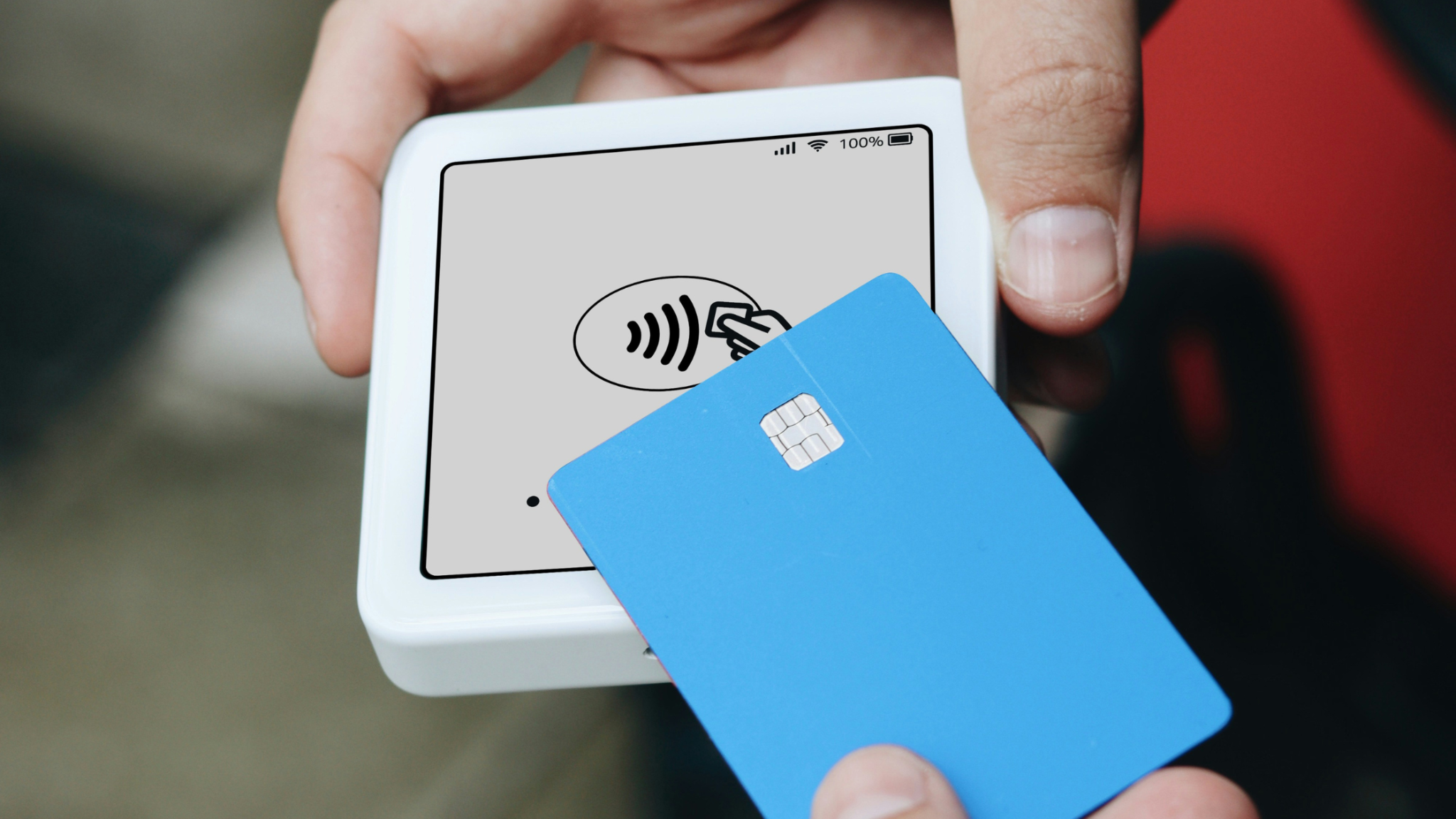
Contactless functionality works through short-range NFC communication between a payment device and an acceptance terminal, using EMV specifications that define how the chip and terminal communicate. EMVCo’s contactless chip overview states that EMV Contactless Chip supports payments from contactless chip cards and NFC-enabled mobile devices without physical contact with the acceptance terminal.
The security design is the part most merchants underestimate. EMV generates a one-time security code for each contactless transaction, which EMVCo describes as a safeguard against fraud. This is why “tap is faster, so it must be riskier” is a misreading. Speed at the counter comes from the interface, not from skipping cryptographic steps. The transaction-specific code exists precisely because the interaction is brief and wireless.
EMVCo also notes that its chip, contactless, and contactless-kernel specifications collectively define the requirements for a payment chip and acceptance terminal to communicate and complete transactions. That makes standards alignment a real procurement criterion, not a checkbox. When evaluating POS hardware or terminal software, the question is whether it is aligned with current EMV contactless specifications and whether that alignment is maintained over the device’s operational life.
Here is the finding that changes budget conversations. EMVCo’s explanation of contactless kernel features says the EMV Contactless Kernel Specification is designed to work within existing terminal architecture and can coexist with legacy kernels. Terminal manufacturers and merchants may not need to replace terminals to adopt the standardized kernel, because it can run as software on existing POS terminals.
For a multi-location operator with hundreds of devices in the field, that distinction between a software path and a hardware refresh is enormous. It reframes contactless readiness as a lifecycle and software-maintenance question rather than an automatic capital event. It also means the right first question to a technology partner is not “what terminals do we buy” but “what does our current fleet support, and what can be delivered through software.”
One last practical detail: EMVCo identifies the contactless symbol as the point-of-sale signal that a terminal accepts EMV Contactless transactions. Customer-facing clarity about where to tap is part of the deployment, not an afterthought.
How do Apple Pay, Google Pay, and other digital wallet payments fit into checkout?
Digital wallet payments fit into checkout as a tokenized presentation layer over the customer’s existing card, which means the merchant accepts a wallet transaction through the same contactless rails while handling less sensitive data. Apple’s Apple Pay security documentation states that after user authentication, Apple Pay uses a Device Account Number and a unique security code to complete the transaction, and that neither the device nor Apple shares the customer’s full card number with merchants.
That same documentation notes no payment information is sent without user authentication, which can involve Face ID, Touch ID, a device passcode, or an Apple Watch interaction depending on the device and flow. The customer-side verification happens before anything reaches the merchant’s terminal.
On the Android side, Google’s wallet tap payments guidance says users can pay with Google Wallet wherever a contactless or Google Pay symbol is displayed, provided their device, wallet configuration, and payment method meet Google’s requirements. Those consumer-side requirements include turning on NFC, setting Google Wallet as the default NFC wallet app, adding a supported payment method, setting a screen lock, and meeting device security requirements.
Read that list again from an operational angle. Even when using a modernized Apple Pay or Google Pay payment processor, a wallet payment can still fail because of the customer’s device configuration or issuer support. Staff need to know that, and they need a non-blaming script and a fallback path, not a shrug.
Canadian debit deserves its own note. Interac’s debit digital wallet documentation states that the mobile wallet experience replaces confidential information with a token, does not store the account number on the device or servers, and can require biometric or passcode authentication to complete a purchase. So the tokenization model applies across credit and debit wallet provisioning, not just credit.
Form factor is the final piece. Interac’s contactless debit guide explains that contactless payments may be made with a debit card, mobile phone, or wearable device with a digital wallet. Watches and bands behave differently at the reader than phones do, and staff who only expect phones will misread a wearable tap as a failed one. Training should cover all three form factors.
When should a merchant choose fixed POS versus tap-to-phone acceptance?
A merchant should choose fixed contactless POS for stable, high-volume checkout counters and tap-to-phone for selling that happens away from a permanent counter. The two complement each other, not replace one another, and most merchants with any field or event component end up running both.
Tap-to-phone turns a compatible merchant device into an acceptance point. Apple’s Tap to Pay overview states that Tap to Pay on iPhone can accept in-person contactless payments from contactless debit and credit cards, Apple Pay, Apple Watch, and smartphones using other digital wallets, without an additional terminal or hardware. Apple also specifies what getting started requires: downloading a supported App Store payment app, accepting the terms and conditions on the device, and enabling device configuration. Availability varies by country and region, so market-by-market verification is part of planning.
On Android, Interac’s Android tap acceptance guidance states that merchants can accept in-person contactless payments on compatible Android phones and tablets by enrolling with a participating acquirer and downloading a supported app, with NFC as a required technology component. Interac positions the capability as a way for businesses to sell in more places when they have a compatible phone and an internet connection.
That last phrase is the use case. Pop-ups. Trade shows. Client sites. Curbside handoffs. Delivery drivers. Mobile sales teams. Seasonal overflow lanes during peak hours when a permanent counter cannot absorb the queue. Line busting is the one most established retailers underuse, because it converts a staffing problem into a technology problem the business already has hardware for.
Tap-to-phone does not replace a full counter POS in complex or very high-volume operations. Split tenders, layered discounting, inventory depth, table management, multi-station orchestration, receipt printing, cash drawer control: those belong to a proper POS environment. Tap-to-phone extends acceptance geography. It doesn’t absorb a store’s full operational stack.
A useful test: if a sales location exists for more than a season and processes more than a light daily volume, specify fixed contactless POS. If a location is temporary, mobile, or intermittent, or if the value is bringing acceptance to the customer, specify tap-to-phone. Then make sure both feed the same reporting so the business is not reconciling two versions of the truth.
Why does a virtual terminal small business workflow still matter?
A virtual terminal matters because a meaningful share of revenue in many verticals never happens in front of a card reader. PCI Security Standards Council’s virtual terminal guidance defines a virtual terminal as browser-based access to an acquirer, processor, or third-party service provider website used to authorize card transactions. Unlike a physical terminal, it does not read data directly from a payment card; authorized staff enter the details manually.
That makes it the right tool for phone orders, mail orders, remote assisted sales, deposit collection, and invoice follow-up. For service businesses, trades, wholesalers, professional practices, and B2B sellers, this is often the channel where the largest tickets close. A virtual terminal small business setup gives those teams a controlled way to take payment without improvising.
The word “controlled” does a lot of heavy lifting. PCI SSC’s SAQ C-VT framework is designed specifically for merchants that manually enter one transaction at a time into an internet-based virtual terminal, intended for brick-and-mortar or mail/telephone-order merchants that use a virtual terminal on a personal computer connected to the internet and do not electronically store cardholder data.
The eligibility model is strict. PCI SSC’s guidance says the virtual terminal should be hosted by a PCI DSS-validated third-party service provider and accessed from a computer isolated from other merchant systems, through firewalling or network segmentation. The merchant computer should not have software that stores cardholder data, attached hardware that captures or stores cardholder data, or other electronic channels that receive, transmit, or store cardholder data.
Translate that into floor rules, and it gets concrete. No card numbers in email. No card numbers in chat. No card numbers on sticky notes or in a CRM free-text field. No card reader plugged into the virtual terminal workstation. No shared logins. One transaction at a time, entered by a named, authorized person, on a device that is not also the general-purpose office computer.
PCI SSC also advises merchants to consult their acquirer to determine the appropriate self-assessment questionnaire for their environment. That is not boilerplate. Environments vary enough that assuming C-VT applies is a meaningful risk. Ask, document the answer, and revisit it whenever the environment changes.
The payoff for getting this right is flexibility without exposure: a team can close remote sales on the same day the customer decides to buy, rather than waiting for them to reach a checkout page.
What is the difference between in-person wallet acceptance and online wallet checkout?
In-person wallet acceptance and online wallet checkout are two different engineering projects that happen to share a brand name. Accepting Apple Pay at a counter is a function of a contactless terminal. Adding an Apple Pay, Google Pay, or other digital wallet button to a website is a web integration with certificates, domain registration, and an approval process. Merchants who assume one delivers the other lose weeks.
Apple’s Apple Pay web configuration documentation says a merchant must create a merchant identifier, create a payment processing certificate associated with that identifier, register the organization’s merchant domains, and create a merchant identity certificate to authenticate communication with Apple Pay servers. Apple’s Apple Pay server setup documentation adds that all pages containing Apple Pay must be served over HTTPS, the domain must have a valid SSL certificate, and the server must support TLS 1.2 or later along with supported cipher suites.
Google’s requirements are structurally similar but procedurally distinct. Google’s Google Pay web setup guidance says merchants must serve an HTTPS webpage with a TLS domain-validated certificate before implementing the Google Pay API, and lists browser compatibility requirements. Google’s Google Pay publication guide says merchants need either a supported gateway arrangement or a PCI DSS-compliant environment, then create a business profile, add the website domain, select the integration type, provide required website screenshots, submit the integration for approval, and publish production code with a merchant ID.
Note the approval step. A review gate sits between finished code and live traffic, and it includes screenshots of the actual checkout. Build that review window into the launch calendar rather than discovering it the week before a promotion.
Merchants take on this work anyway because a modern wallet gateway integration removes manual card entry from web checkout. Instead of a customer typing sixteen digits, an expiry, and a CVV on a phone screen, they authenticate and confirm. For businesses where mobile traffic dominates, that difference in effort shows up directly in completed orders.
The reverse assumption is just as costly. A well-built online wallet integration does nothing for a physical location that lacks an appropriate contactless acceptance method. Web and counter are connected strategically and separate technically. Scope them as two projects with one shared plan.
What security and fraud controls belong in a rollout for mobile and digital wallet payments?
Security and fraud controls belong in a mobile payments rollout from the first planning session, because the same research that shows payment modernization accelerating also shows fraud pressure rising. Payments Canada’s business fraud study found that 20% of Canadian businesses experienced payment fraud in the six months before the 2024 survey, compared with 13% of consumers. Businesses are the harder-hit group.
Fifteen percent of businesses said they lost money from payment fraud in that window. Among those that experienced fraud, the most common types were impersonator fraud (25%), intercepted business e-transfers (22%), and credit card fraud (20%). Impersonator fraud leading the list is instructive: the attack surface is often people and process, not the payment rail itself.
The same study found that 39% of surveyed businesses stored passwords on personal devices, and 45% noticed an increase in fraudulent or suspicious activity sent via email. Together, those two findings show exactly how a well-secured payment stack can be undermined from the side. Role-based access, credential hygiene, and approval controls are payment security measures, even though they look like IT policy.
Encouragingly, 65% of businesses said they would be willing to take extra steps for online transactions if it meant stronger protection. That permits design teams to keep sensible verification in place rather than stripping every check in pursuit of a frictionless flow. The target is removing unnecessary friction, not removing verification.
On the e-commerce side, PCI SSC’s e-commerce script guidance says merchants using embedded third-party payment pages or forms must confirm their sites are not susceptible to script attacks that could affect their e-commerce systems. Merchants can address this through protections aligned with PCI DSS requirements, or by confirming the PCI DSS-compliant third-party service provider implements its solution as instructed. “As instructed” is the operative phrase. A compliant provider implemented incorrectly still creates merchant exposure.
For mobile acceptance specifically, the controls are device-centric: who can use merchant devices, how access is authenticated, how lost devices are handled, when operating systems and acceptance apps get updated, and how a device is removed from service when an employee changes roles. None of that is exotic. All of it is routinely skipped when tap-to-phone rolls out informally.
What do merchant priorities say about building a flexible payments architecture?
Merchant priorities point clearly toward integrated, flexible payment technology rather than accumulated point solutions. Payments Canada’s small business payments research found that 72% of Canadian SMEs believed payment innovation was important for making payments more convenient, secure, and instantaneous, giving consumers more options, and supporting overall health and growth. Nearly three-quarters framed innovation as a business-health issue rather than a technology preference.
The stated priority underneath it is operational. The same research found 39% of SMEs identified improving efficiency as their top focus for the next 12 months. That is the lens merchants actually apply to payment technology decisions: does this reduce the number of systems, reconciliations, logins, and exception workflows a team manages every day?
The friction data backs it up. Payments Canada found that 27% of SMEs experienced delays in incoming or outgoing payments during the previous six months, cash-flow management issues affected 18%, and 17% said they had been forced to accept a specific method to get paid by customers. That last figure is the clearest argument for acceptance breadth. Being forced into a payment method is what happens when acceptance options run out before the customer’s preferences do.
Fraud capability sits high on the same wish list. The research found fraud detection and prevention was the generative-AI application expected to provide the most benefit for SMEs, cited by 44%, and real-time fraud monitoring appealed to 37%. Merchants want monitoring built into the payment layer, not bolted on afterward.
Put those findings together, and the architecture brief writes itself. Counter, mobile, virtual, and online acceptance should sit inside one orchestrated environment with consistent security controls, unified reporting, and a single view of exceptions. Fragmentation is where efficiency goes to die, and where fraud signals get lost between systems.
This is the design philosophy behind how Yuzera approaches merchant technology: proprietary POS software and hardware, payment orchestration, and value-added services assembled so a merchant can extend acceptance into a new channel without rebuilding the stack underneath it. Backed by parent company Digitech’s track record in payment technology, that orchestration layer is built for operators who need the counter, the field, the phone desk, and the web store to behave like one business. Learn more at Yuzera.
How do the four acceptance models compare?
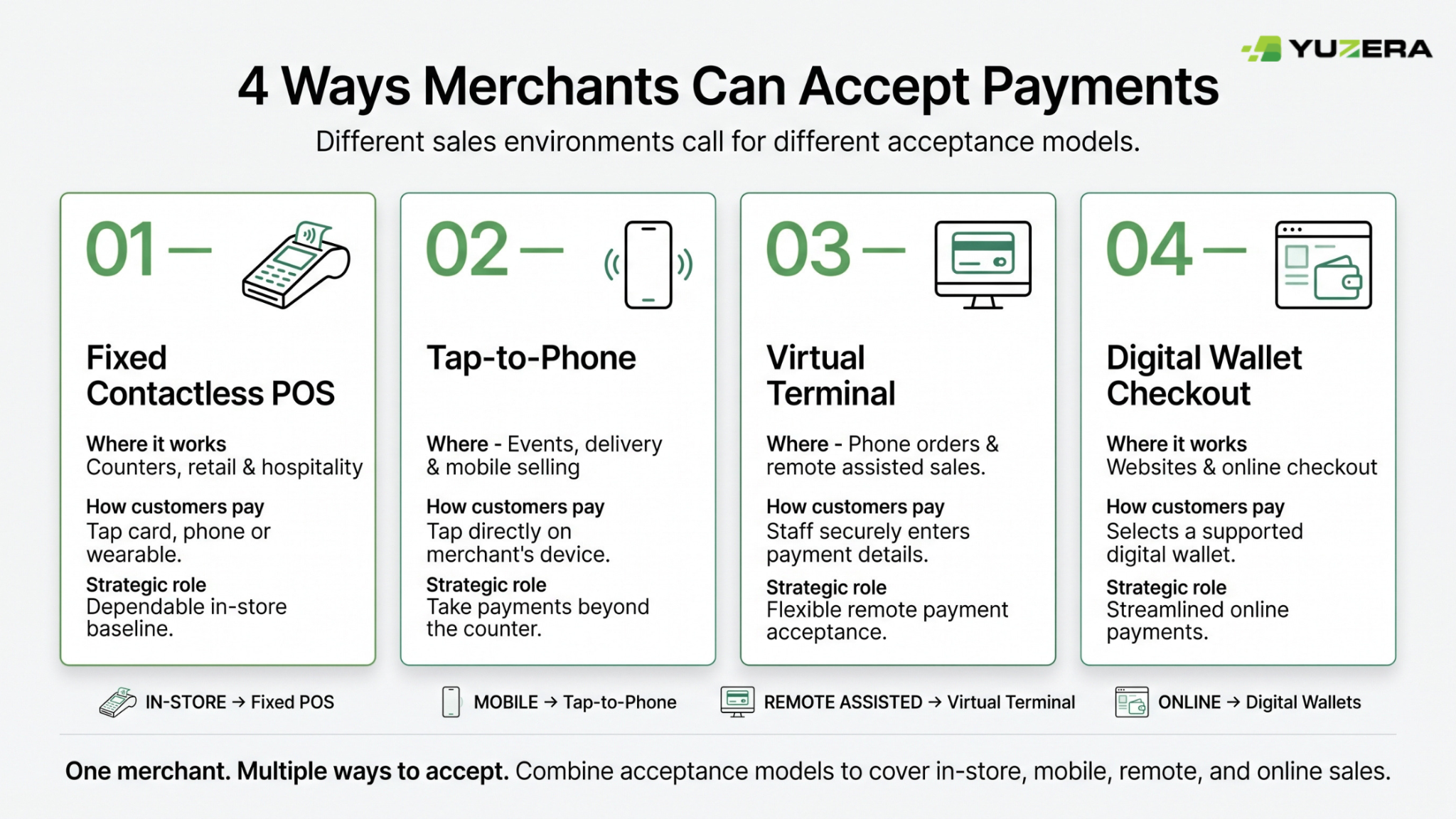
Choosing between fixed contactless POS, tap-to-phone, virtual terminals, and online wallet checkout is easier once merchants stop comparing them as products and start comparing them across five dimensions: where the sale happens, how the customer interacts, what technology is required, who carries the security responsibility, and what fallback exists when the primary path fails.
Most merchants of any scale will deploy at least two of these, and many deploy all four. A restaurant group runs fixed POS at service stations, tap-to-phone for patio and event overflow, a virtual terminal small business configuration for catering deposits, and wallet buttons for online ordering. A wholesaler may lean heavily on their virtual terminal small business setup while running fixed POS at a will-call counter.
The table below is built from EMVCo’s terminal and NFC documentation, Apple’s and Interac’s phone-based acceptance guidance, PCI SSC’s virtual-terminal definitions, and Apple’s and Google’s web integration requirements for digital wallet payments. Use it as a specification aid when mapping channels to technology, not as a ranking.
| Dimension | Fixed contactless POS | Tap-to-phone / mobile POS | Virtual terminal | Digital wallets in e-commerce |
|---|---|---|---|---|
| Primary sales setting | Permanent counters, service desks, multi-lane retail, hospitality | Pop-ups, events, delivery, client sites, line busting | Phone orders, mail orders, remote assisted sales, invoice follow-up | Website and web-app checkout |
| How the customer pays | Taps a card, phone, or wearable at a dedicated device | Taps a card, phone, or wearable against a compatible merchant device | Gives card details to authorized staff, who enter one transaction at a time | Selects Apple Pay or Google Pay in the checkout flow |
| Core technology requirement | EMV contactless-capable terminal and current software | Compatible NFC-enabled device plus a supported acceptance app | Browser-accessed virtual terminal on a controlled workstation | HTTPS site, certificates, domain and platform configuration |
| Mobility | Usually fixed, though portable terminals exist | High; acceptance travels to the customer | Remote rather than physically mobile | Remote and scalable across customer devices |
| Key security focus | Standards-aligned terminal and secure POS environment | Approved app, device compatibility, NFC, staff-device access control | No electronic card-data storage; isolated device under SAQ C-VT model | TLS/HTTPS, secure integration, payment-page script security |
| What it does not replace | Remote or online sales | A full counter POS in complex, high-volume operations | Tap acceptance; never a reason to store card details | Physical contactless readiness at a location |
| Strategic value | Dependable in-store baseline | Extends acceptance beyond fixed locations | Flexibility for non-face-to-face assisted selling | Removes manual entry from web checkout |
A 15-step rollout checklist for mobile and contactless acceptance
This workflow synthesizes the technical, security, and merchant-research sources cited above. It does not replace PCI, legal, privacy, card-network, or technology-partner requirements.
-
Map every sales environment before buying anything. List permanent counters, service desks, tableside positions, curbside, delivery routes, client sites, events, phone-order desks, invoice follow-up, and e-commerce. The deliverable is a channel map, not a device order. Everything downstream depends on this being complete and honest.
-
Assign an acceptance method to each environment. Fixed POS for stable counters, tap-to-phone for mobile in-person selling, a virtual terminal for controlled assisted remote entry, and online wallet checkout for self-service e-commerce. Write the assignment down so gaps become visible rather than getting discovered mid-season.
-
Audit whether the current POS and terminal fleet supports EMV contactless. Evaluate NFC capability, terminal compatibility, and software maintenance. EMVCo notes that contactless-kernel evolution can coexist with legacy terminal architecture in some environments, so confirm the software path before assuming a hardware refresh.
-
Define a customer-choice matrix explicitly. Specify which experiences must work: physical contactless cards, wallets on phones, wearables, chip fallback, remote assisted payment, and online wallet checkout. Anything not on this list will eventually surprise a cashier during a rush.
-
Deploy contactless-capable checkout at permanent locations with clear signaling. EMVCo identifies the contactless symbol as the point-of-sale signal that a terminal accepts EMV Contactless payments. Customers should see where to tap without asking, and staff should know the flow well enough to guide without hesitation.
-
Evaluate tap-to-phone against real mobile use cases. For field sales, pop-ups, events, delivery, or queue-busting, assess whether compatible merchant-owned iPhones or Android devices and supported acceptance apps fit the operating model. Confirm market and device availability before committing, since both Apple and Interac note regional variation.
-
Write a managed-device policy before any staff member accepts a payment on a phone. Define who can use merchant devices, how access is authenticated, how to report loss, when to update operating systems and apps, and how to decommission a device when an employee changes roles. Do this first, not after the first incident.
-
Build a secure virtual-terminal workflow for remote assisted sales. Restrict access to named authorized personnel on a controlled browser and workstation. Prohibit receiving card details through email, chat, voicemail transcripts, CRM notes, or paper. The workflow should be tight enough that improvisation is obviously out of bounds.
-
Eliminate electronic card-data storage from virtual-terminal environments. PCI SSC’s SAQ C-VT criteria require qualifying merchants not to store account data electronically and not to use attached card-capture hardware on the virtual-terminal workstation. Audit the actual machine, not the intended configuration.
-
Confirm the applicable PCI self-assessment path with the acquirer. PCI SSC explicitly advises merchants using virtual terminals to consult their acquirer to determine whether an SAQ is required and which questionnaire applies. Document the answer, note who provided it, and revisit it whenever the environment changes.
-
Scope in-person and online wallet acceptance as separate projects. A contactless terminal accepts a wallet in a physical location; online wallet buttons require web or app integration work with their own certificates, approvals, and timelines: connected strategy, separate execution, separate calendars.
-
Complete Apple Pay web prerequisites before launch. Create the merchant identifier, establish the payment processing and merchant identity certificates, register merchant domains, and verify the site meets HTTPS and TLS 1.2-or-later requirements with supported cipher suites. Add certificate expiry management to the operational calendar from day one.
-
Complete Google Pay web prerequisites before launch. Ensure a supported gateway arrangement or PCI DSS-compliant environment; finish web setup on an HTTPS page with a TLS domain-validated certificate; create the business profile; register the domain; select the integration type; submit for approval; and publish with the merchant ID.
-
Test the full customer journey across devices, browsers, and operating systems. Include wallet-unavailable paths, unsupported devices, declined authentications, and partial-failure scenarios. Apply existing risk controls to wallet transactions rather than assuming the wallet handles risk on the merchant’s behalf.
-
Monitor fraud signals, checkout friction, fallback frequency, and exceptions continuously. Payments Canada found 20% of surveyed Canadian businesses experienced payment fraud and 45% observed increased suspicious or fraudulent email activity. Track how often taps fail and why, since rising fallback rates usually signal a configuration or training problem worth fixing early.
FAQ
Q1) What does mobile payment processing Canada actually require for a merchant to get started?
Mobile payment processing in Canada requires contactless-capable acceptance technology, either an EMV contactless terminal or a compatible NFC-enabled phone or tablet running a supported acceptance app enrolled with a participating acquirer. Interac states that Tap to Pay on Android needs a compatible device, NFC, a supported app, and acquirer enrolment. Apple states that Tap to Pay on iPhone needs a supported App Store payment app, acceptance of terms on the device, and device configuration. Availability varies by region, so confirm before committing to a deployment model.
Q2) Is contactless payment processing in Canada secure enough for high-volume retail environments?
Contactless payment processing in Canada is built on EMV specifications that generate a one-time security code for each transaction, which EMVCo describes as a safeguard against fraud. Counter speed comes from the NFC interface, not from reduced cryptographic checks. For wallet-based taps, tokenization adds another layer: Apple states that neither the device nor Apple shares the customer’s full card number with merchants. Security still depends on the wider environment, so pair contactless acceptance with device controls, staff access management, and active fraud monitoring.
Q3) How should a merchant choose an Apple Pay/Google Pay setup for both a store and a website?
Treat in-person and online wallet acceptance as one strategy with two implementations. In-store, Apple Pay and Google Pay arrive through an existing contactless terminal once it is EMV contactless-capable and correctly configured. Online, Apple requires a merchant identifier, payment processing and identity certificates, registered domains, and HTTPS with TLS 1.2 or later. In contrast, Google requires an HTTPS page with a TLS domain-validated certificate plus a registration and approval process. Sequence them as separate workstreams sharing one launch plan.
Q4) What should a merchant look for in a digital wallet payment gateway integration for e-commerce?
A digital wallet payment gateway integration should meet the wallet platforms’ technical prerequisites and survive a security review. Google says merchants need either a supported gateway arrangement or a PCI DSS-compliant environment. Before publishing production code, you need a business profile, registered domain, selected integration type, submitted screenshots, and approval. PCI SSC adds that merchants using embedded third-party payment pages must confirm their sites are not susceptible to script attacks. Test across multiple browsers and mobile operating systems before enabling live traffic.
Q5) When is a virtual terminal for small business the right tool instead of a physical terminal?
This type of virtual setup is right when the customer is not physically present, and staff need to take payment during a call, after an invoice, or as part of a remote assisted sale. PCI SSC defines it as browser-based access to an acquirer, processor, or third-party service provider website that does not read data directly from a card. It is not a substitute for tap acceptance, and you should never use it as a reason to store card details. Confirm the applicable self-assessment path with the acquirer before going live.
Works Cited
- Apple. “Apple Pay Security.”
- Apple. “Configure Apple Pay on the Web.”
- Apple. “Setting Up Your Server.”
- Apple. “Tap to Pay on iPhone.”
- EMVCo. “EMV Contactless Chip.”
- EMVCo. “4 Key Features of the New EMV Contactless Kernel Specification.”
- Federal Reserve Financial Services. “Findings from the 2025 Diary of Consumer Payment Choice.”
- Federal Reserve Financial Services. “2026 Diary of Consumer Payment Choice.”
- Google. “Google Pay API Web Setup.”
- Google. “Publish Your Integration.”
- Google. “Tap to Pay with Google Wallet.”
- Interac. “How to Make Contactless Payments with Interac Debit.”
- Interac. “Interac Debit in a Digital Wallet.”
- Interac. “Tap to Pay on Android.”
- Payments Canada. “Canada Reaches $12.2 Trillion in Payment Transactions in 2024.”
- Payments Canada. “Canadian Payment Data 2024.”
- Payments Canada. “One in Five Canadian Businesses Experienced Payment Fraud in the Past Six Months.”
- Payments Canada. “Spotlight on Small Business Payments.”
- PCI Security Standards Council. “Virtual Terminal FAQ.”
- PCI Security Standards Council. “E-commerce Script Attacks FAQ.”
- Yuzera.